

Revenue per occupied room (RevPOR) helps hotels examine revenue relative to the rooms they sell. However, the label is used differently across reports. Some calculations include only room revenue; others include additional operating revenue. Always check the numerator before comparing results.
This guide separates room-only revenue from total revenue, shows a worked example, and explains how to read the result alongside occupancy and RevPAR. For a wider overview, see our hotel revenue management guide.
What is RevPOR, and which formula should you use?
Room-only revenue per occupied room = room revenue ÷ room nights sold. With the same revenue and rooms-sold definitions, this is the same calculation as average daily rate (ADR).
Total revenue per occupied room (TRevPOR) = total operating revenue ÷ room nights sold. This includes room revenue plus other operating revenue, such as food, beverages or parking, where applicable. If your report calls this RevPOR, label the included revenue clearly.
For a period longer than one night, use room nights sold rather than the number of bookings or unique guests. A room sold for three nights contributes three room nights. Use revenue and room nights from the same period, and document how complimentary rooms, day use and unavailable rooms are treated.
STR’s Australian Accommodation Monitor methodology defines ADR using room revenue and rooms sold, and RevPAR using room revenue and rooms available. Consistent definitions make comparisons meaningful.
RevPOR, ADR and RevPAR: a worked example
Illustrative example, not a customer result: a 25-room motel has all 25 rooms available for one night and sells 20. Room revenue is $3,600; other operating revenue is $600. Total operating revenue is therefore $4,200. All amounts use the same currency and exclude GST for this example.
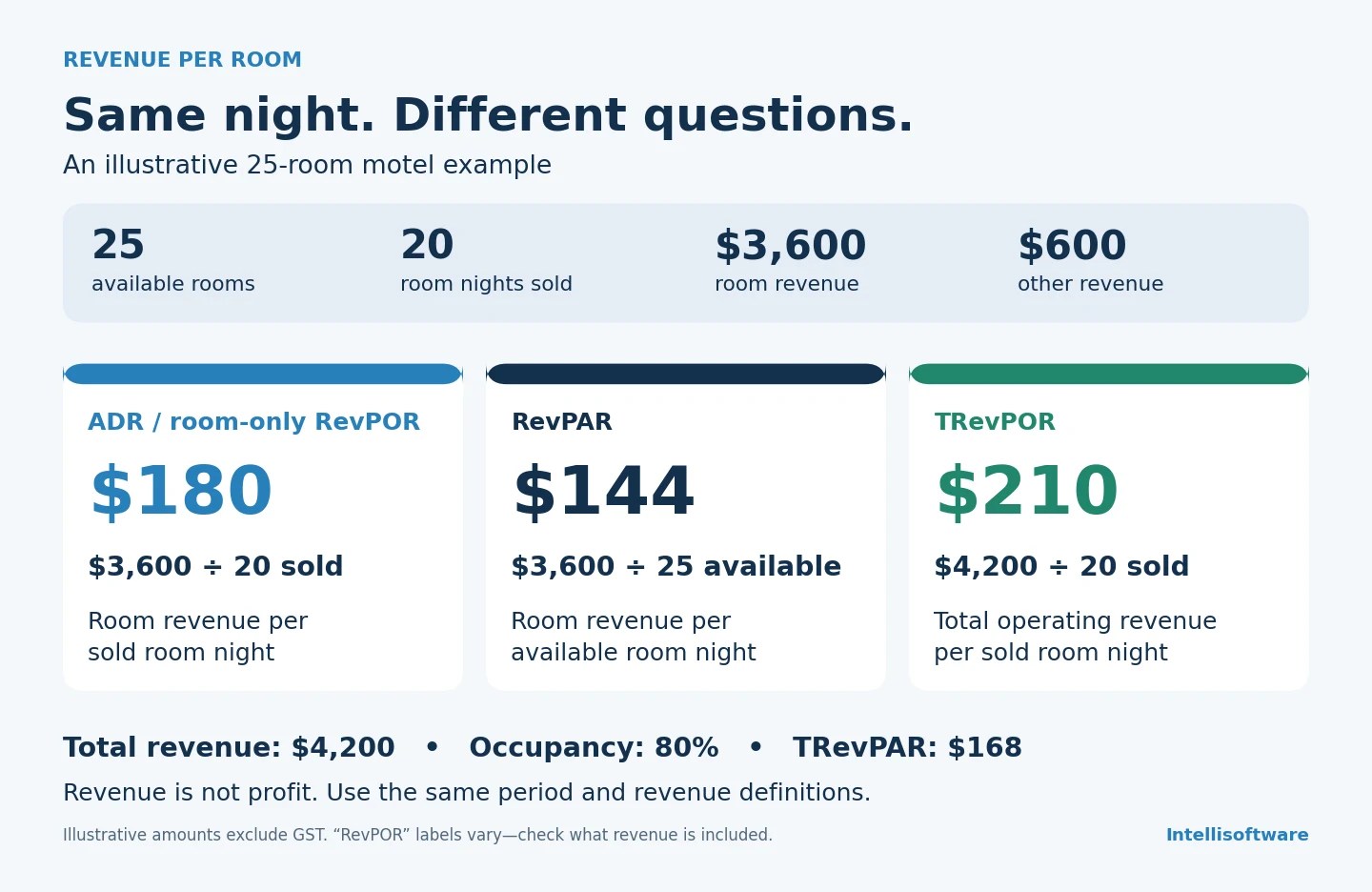
| Metric | Calculation | Result |
|---|---|---|
| Occupancy | 20 rooms sold ÷ 25 available | 80% |
| ADR / room-only RevPOR | $3,600 ÷ 20 room nights sold | $180 |
| RevPAR | $3,600 ÷ 25 available room nights | $144 |
| TRevPOR / total-revenue RevPOR | $4,200 ÷ 20 room nights sold | $210 |
| TRevPAR | $4,200 ÷ 25 available room nights | $168 |
The $30 difference between ADR and TRevPOR represents other operating revenue per sold room night in this example. It is not profit. If restaurant or event revenue includes spending by non-residents, TRevPOR also reflects that income and should not be described as the average spend of staying guests.
Read the numerator as well as the ratio
A higher ratio can accompany lower total revenue. Suppose a second night sells only 10 rooms at $200, with $300 in other operating revenue. Total revenue is $2,300 and TRevPOR is $230. TRevPOR has risen from $210, but total revenue has fallen from $4,200.
Read TRevPOR alongside occupancy, room revenue and total revenue. Check comparable dates and guest mix before attributing a change to a pricing decision.
Separate additional revenue from additional profit
Track upgrades, breakfast, parking or other services only where your property offers them. Avoid counting package revenue twice when splitting room and non-room components. Review the costs of providing each service, including labour and supplies, rather than assuming every extra dollar of sales becomes profit.
Compare channels on a consistent basis
Use comparable stay dates, room types and revenue definitions when reviewing booking sources. Report commissions and acquisition costs separately. A channel with higher revenue per occupied room may also have higher costs or a different guest mix.
Keep occupancy in the decision
Do not choose a rate solely to increase revenue per sold room. Assess the likely number of rooms sold, total revenue and contribution after relevant costs. Our hotel rate planning guide explains how to compare illustrative demand and pricing scenarios.
Use revenue management software with clear measures
Hotel RevBoost supports room pricing recommendations and automated rate updates through supported connections. Evaluate pricing outcomes using agreed measures, such as ADR, occupancy and RevPAR, alongside costs and market conditions.
Use PMS and accounting reports to reconcile additional operating revenue. Confirm each system’s definitions and reporting capabilities before assuming it calculates TRevPOR or tracks non-room sales. For a practical assessment of costs and results, see whether revenue management software is worth it for a small hotel or motel.
A practical reporting routine
- Agree the revenue included in each metric and use the same reporting period.
- Reconcile room and other operating revenue without duplicating package income.
- Review ADR, occupancy, RevPAR, total revenue and costs together.
- Compare similar periods and investigate changes in demand, guest mix or channel costs.
If you want to review your property’s room pricing workflow, book a Hotel RevBoost demo and bring your current reports and PMS details.

